
Ticket Draw
Upload your ticket entry list, check the entries and securely select one or more winning tickets.
Use Ticket Draw when each eligible entry has a ticket number and you already have the entries in a CSV file.
If you only have a number range rather than a list of individual tickets, use Number Draw. If your entries are telephone numbers, use Phone Number Draw.
Your entries are checked before the draw
WinnerSelect checks the CSV before the entry pool can be confirmed. If something needs attention, WinnerSelect shows you where the problem is so you can correct the original file and upload it again.
Simple CSV uploads
Upload a standard CSV exported from your spreadsheet, form or competition platform.
Header row optional
Your CSV can include column headings, but it does not have to.
Duplicate ticket numbers
Duplicate ticket numbers are highlighted so you can check and correct them before continuing.
Missing information
Rows with missing required information are identified before the draw can continue.
Correct and upload again
If the file needs fixing, update the original CSV and upload it again. WinnerSelect does not silently change or remove entries.

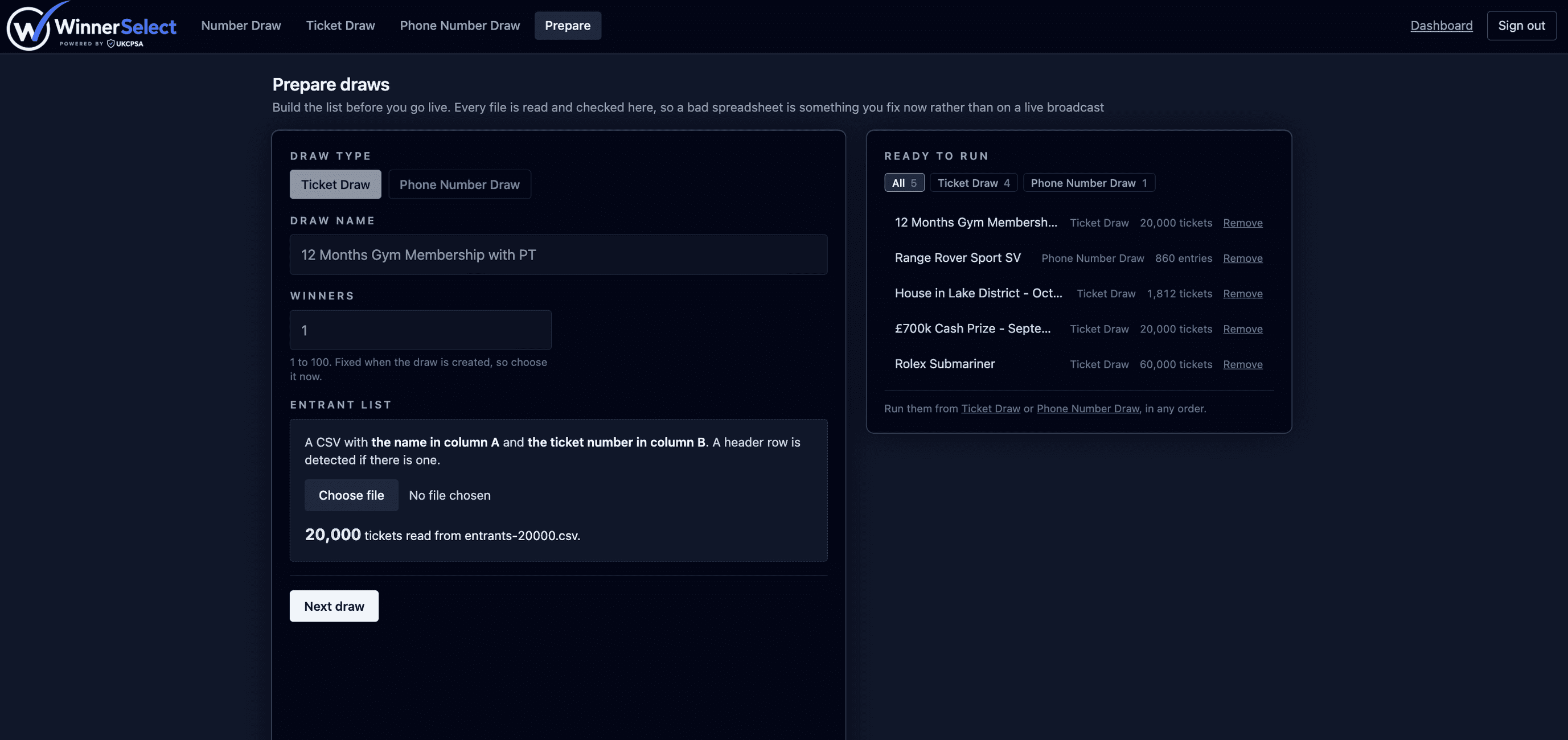
Prepare your draws in advance
Build and check your entry lists before you go live. Every file is read and checked when you prepare it, so a bad spreadsheet is something you fix now rather than on a live broadcast.
A prepared draw stays a draft until you run it, so you can remove it or replace its file at any time. When you are ready, run your prepared draws from the draw tool in any order.
Confirm the final entry pool
When the entries have been checked, confirm the pool before running the draw. Once confirmed, that pool cannot be changed for that draw. WinnerSelect also stores the file size and a SHA-256 fingerprint of the accepted CSV, creating a reference to the file used for the draw.
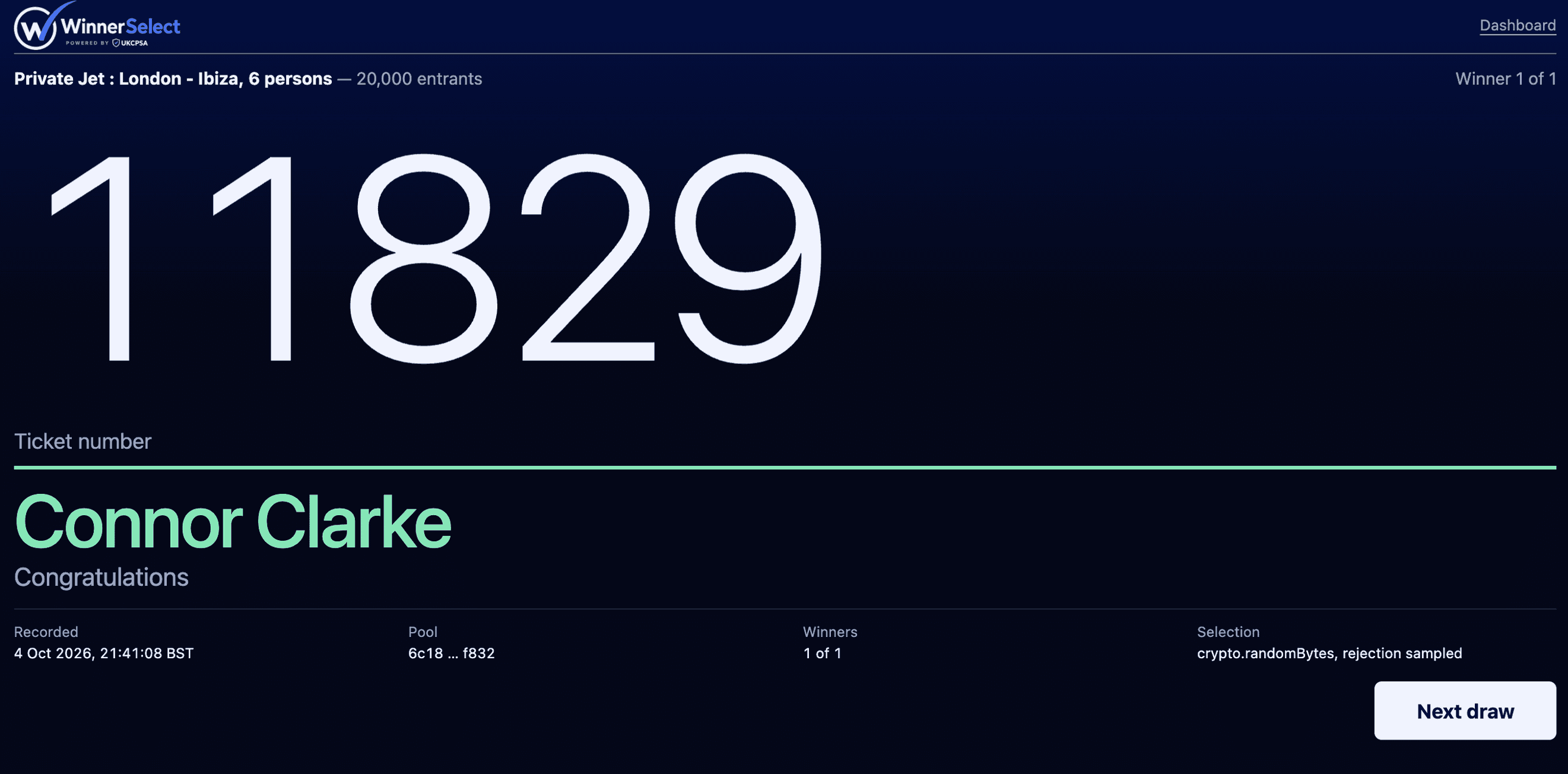
Select your winners
Choose how many winners you need and run the draw. WinnerSelect securely selects the winning ticket or tickets and creates the completed draw record automatically.